
Quick answer
A LinkedIn photo that works for a woman is chest up, well lit from the front or side, against a plain or softly blurred background, with a natural smile and your face filling about 60% of the circle. The five most common failures are a photo taken too far away, a crop from a group shot, sunglasses, a heavy beauty filter and a dark selfie in a car. LinkedIn has said profiles with a photo get up to 21 times more profile views.
21x
more profile views for profiles with a photo, according to LinkedIn (up to)
9x
more connection requests for profiles with a photo (up to)
400 px
minimum square size worth uploading; 800 to 1080 px looks sharper
LinkedIn Photo Examples for Women: 5 That Work, 5 That Quietly Cost You
LinkedIn shows your photo as a small circle next to every comment, message and application. It is the first thing a recruiter sees and, according to LinkedIn itself, having one at all brings up to 21 times more profile views. Below are ten photos of the same woman. Five work. Five are the kind of photo most people actually have on their profile.
The five that work



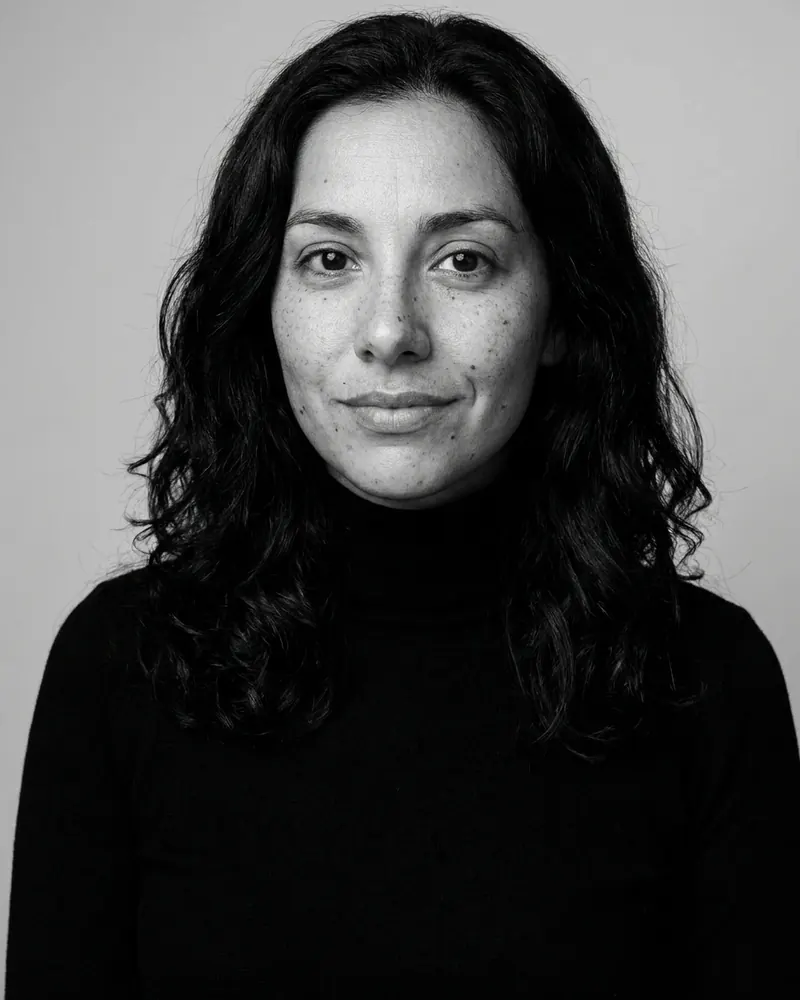

What they have in common:
- Chest up framing. Head and shoulders fill the frame, with a little space above the hair. In the circle crop the face lands where people look.
- Soft, even light on the face. Studio, window or open shade. No harsh shadows under the eyes or nose.
- A plain or softly blurred background. Nothing competes with the face.
- A natural smile and eye contact. All five look straight through the lens.
- Her real face. Freckles, skin texture and her own hair are all still there. The person in the photo is the person who shows up to the call.
The five that fail, and how to fix each one
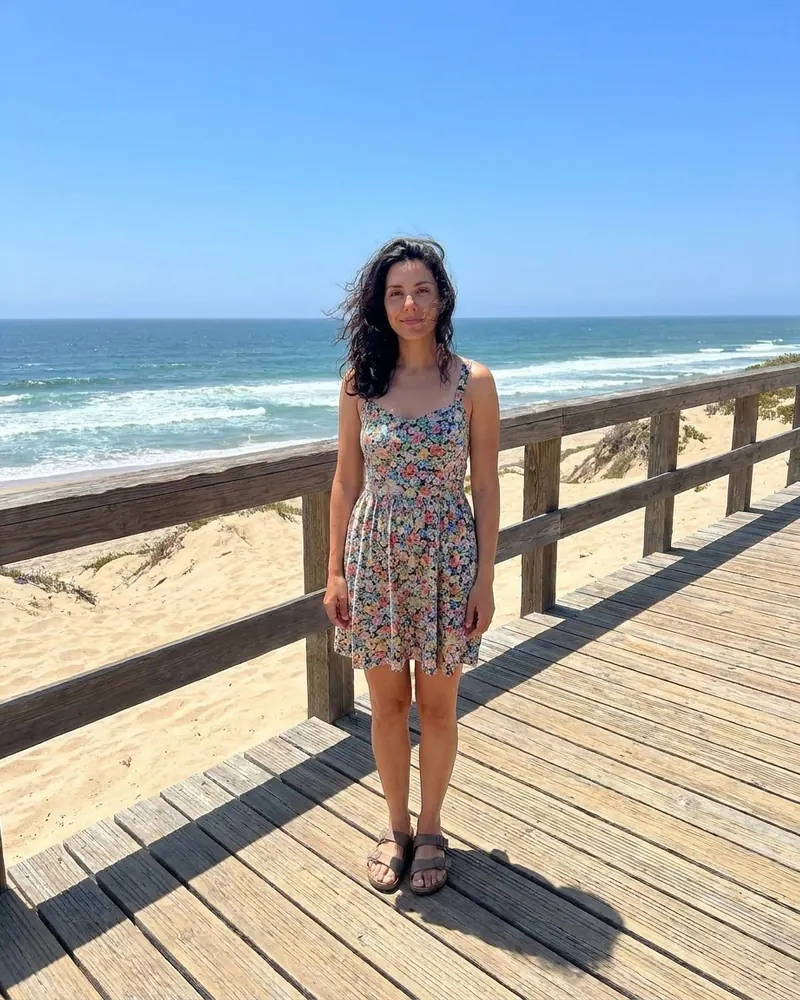
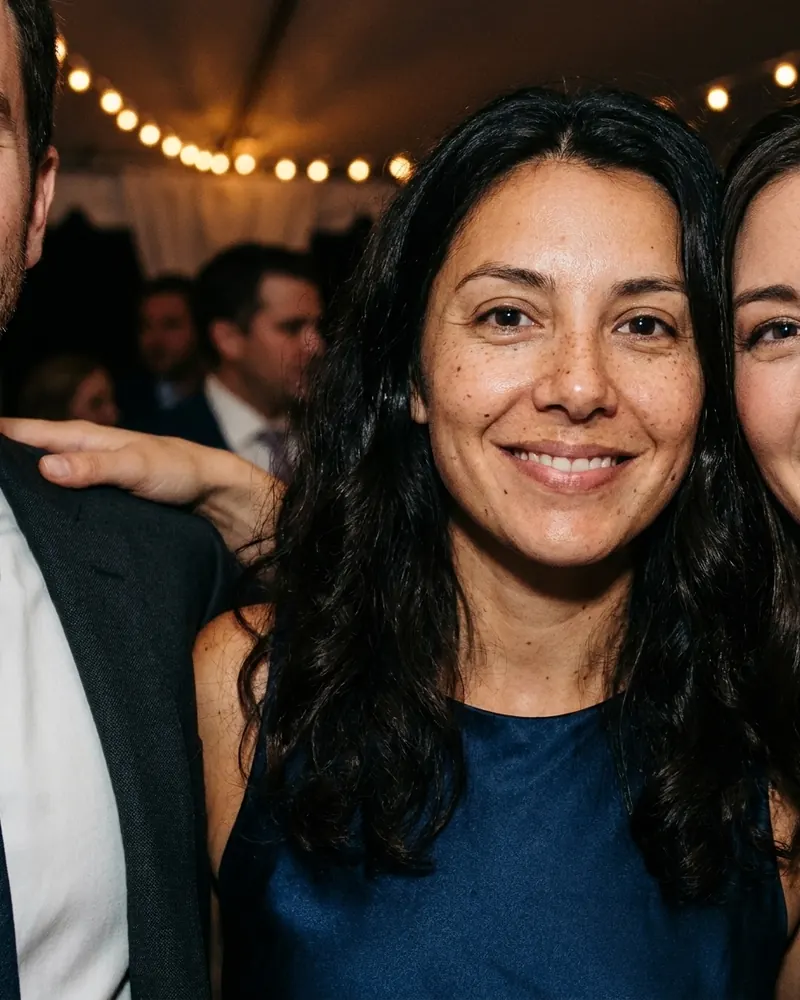
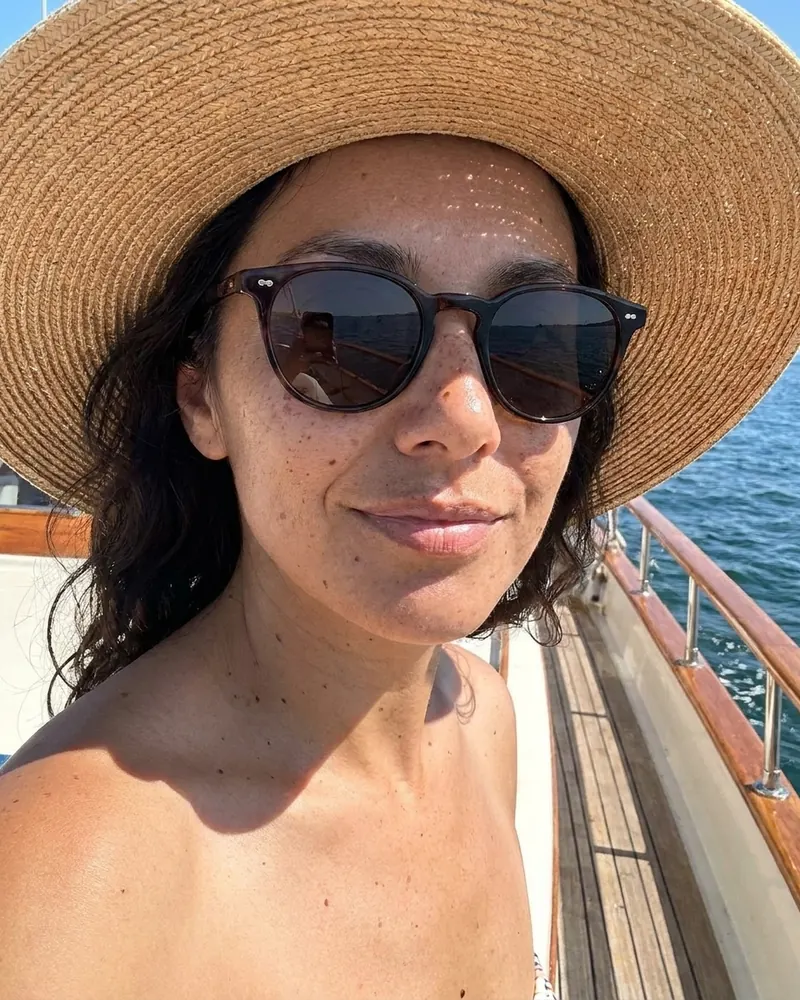
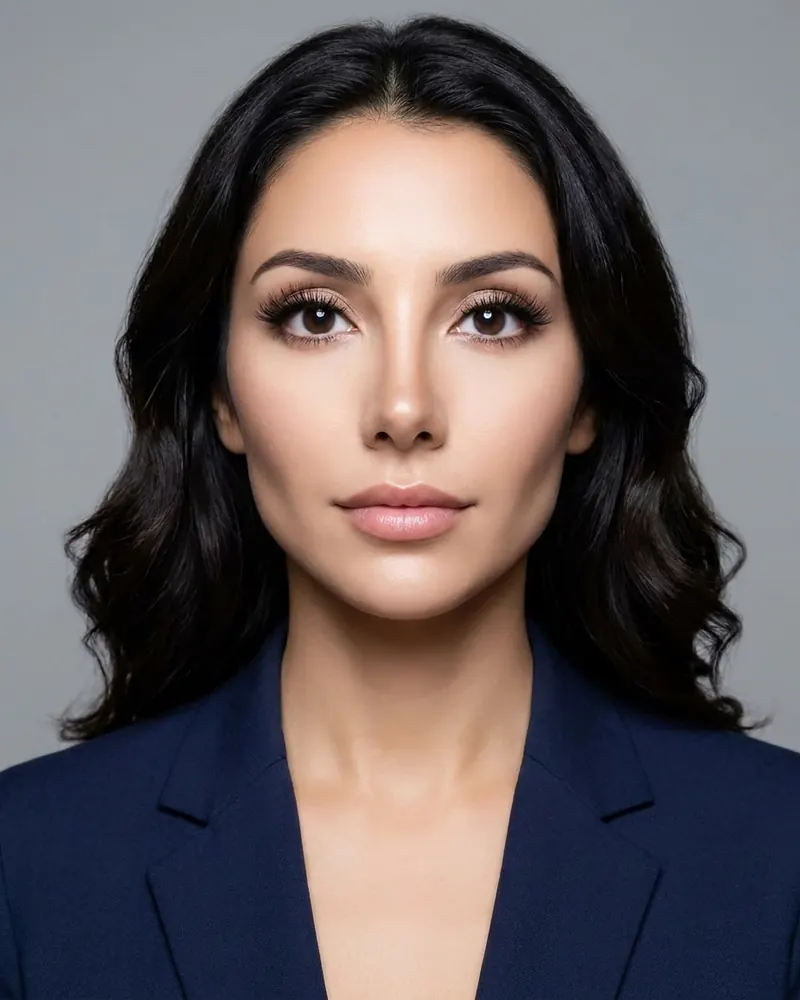
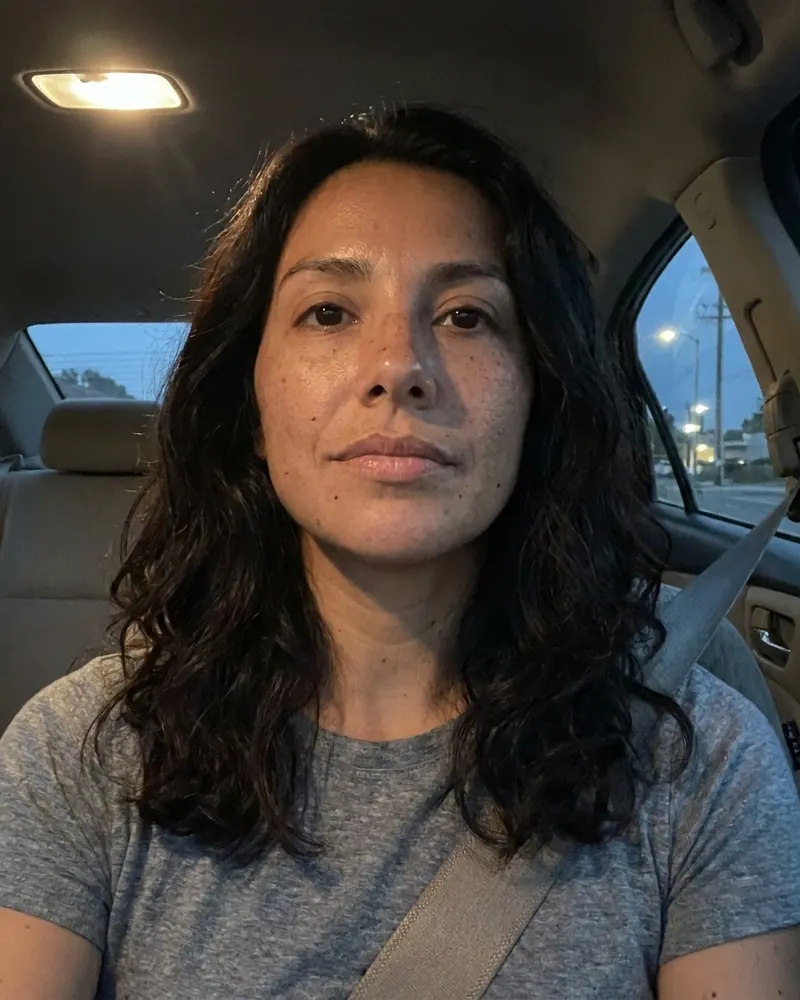
| Photo | Why it fails | The fix |
|---|---|---|
| 6. Too far away | In the small circle next to a comment the face is a few pixels wide. Nobody can recognise her | Crop to chest up, or use a photo taken at chest up in the first place |
| 7. Cropped from a group shot | The stray shoulder and half face at the edges say "this was not meant to be my photo" | Start from a photo of you alone |
| 8. Sunglasses and a hat | The eyes are where people look first, and they are hidden | Any photo where the eyes are visible |
| 9. Heavy beauty filter | Reads as fake, and does not match the person on the video call | Keep real skin, real features, daytime makeup |
| 10. Car selfie at dusk | Overhead light, grain, a seatbelt and an upward angle: all noise, no signal | Daylight from a window in front of you, phone at eye level |
The beauty filter deserves a separate word. It is the failure that looks the most "professional" at first glance, and it is the riskiest. In a field test of 5,312 CVs, women whose CV carried a glamorous photo got fewer callbacks than women with no photo at all; the same glamour helped men. Our write up of the CV photo study covers the numbers and their limits.
The technical checklist
| Item | Recommendation |
|---|---|
| Size | Square, at least 400 x 400 pixels; 800 to 1080 looks sharper on large screens |
| Format | JPG or PNG |
| Framing | Chest up, face around 60% of the frame height, a little space above the hair |
| Light | Soft and from the front or one side; daylight from a window works |
| Background | Plain, or softly blurred and uncluttered |
| Expression | Natural smile, eyes to the lens |
| Recency | Taken within the last two or three years, and looks like you now |
| Consistency | Same photo on LinkedIn, email, Slack and your company page |
Our free LinkedIn photo size tool crops and resizes any photo to the right square with the face centered.
Women specific details that matter on LinkedIn
- Hair. Wear it the way you wear it at work. If people see you with curls in a meeting, the photo should have curls.
- Glasses. Keep them if you wear them daily. Move the light to the side to avoid glare.
- Head covering. Keep it exactly as you wear it. A photo is not the place to present someone you are not.
- Age. A photo from ten years ago is the most common LinkedIn mistake after the bad crop. People notice the gap on the first call, and it undoes the trust the photo was meant to build. If you are over 50, read our guide to headshots for women over 50.
- Color. A solid jewel tone (cobalt, emerald, burgundy) reads well in the small circle. Navy on grey and black on dark can merge into one shape.
A two minute test before you upload
Run any candidate photo through these four checks. A photo that passes all four is ready.
- The thumbnail test. Shrink the photo on your screen until it is the size of a coin. Can you still see the eyes and the smile? If the face turns into a blur, crop tighter.
- The squint test. Squint at the photo. The brightest area should be your face, not a white shirt, a window or a lamp behind you.
- The grayscale test. Look at it in black and white (most phones have a filter). If your hair and clothes merge into the background, the photo needs more contrast or a different backdrop.
- The stranger test. Show it to someone who has not seen you in a year and ask when it was taken. If they guess more than three years ago, update it.
Pair the photo with your banner
Your photo sits on top of the banner at the top of your profile, so the two are seen together. A busy banner behind a busy photo looks crowded; a plain banner in one of the colors from your outfit makes both look deliberate. Our LinkedIn cover photo maker builds a banner that matches the photo, and the LinkedIn banner size guide covers the safe zone the circle photo covers on phones.
Do AI headshots work on LinkedIn?
Yes, as long as they look like you. What matters to LinkedIn and to the people viewing your profile is that the photo is a real likeness of you, not which camera took it. The practical risk with AI is the one shown in photo 9: tools that smooth, slim or glamorise. A good AI headshot keeps your skin, features, hair and age, and changes only the light, clothes and background. For the policy side, see does LinkedIn punish AI headshots.
The bottom line
Chest up, soft light, plain background, natural smile, your real face, taken recently. Any of the five working photos above would do the job. If your current photo looks like any of the five failing ones, fix it this week: it is the cheapest improvement you can make to your profile.
FAQ
What makes a good LinkedIn profile picture for a woman? A recent, chest up photo with soft light on the face, a plain or softly blurred background, a natural smile and eye contact with the lens. It should look like you on a working day: your hair, glasses and makeup as you usually wear them.
Should women smile in their LinkedIn photo? Yes, in most fields. A natural smile that reaches the eyes reads warm and confident. A closed lip smile suits conservative fields like law and finance; a smile with teeth suits most others.
What size should my LinkedIn photo be? Upload a square image of at least 400 x 400 pixels; 800 to 1080 pixels looks sharper on large screens. LinkedIn shows it as a circle, so keep your face centered with a little space above your hair.
Can I use a cropped group photo on LinkedIn? It is better not to. Even a well cropped group photo usually shows a stray shoulder or edge of another face and reads as unprofessional. Start from a photo of you alone.
How often should I update my LinkedIn photo? Every two to three years, or whenever your appearance changes noticeably: a new haircut, new glasses, a big change in hair color. The person on the video call should match the photo.
Is a black and white LinkedIn photo okay? Yes. It reads serious and timeless and works well in academia, architecture, law and editorial roles. Make sure the lighting has good contrast so the face does not look flat.
Can I use an AI headshot as my LinkedIn photo? Yes, if it looks like you. Choose a tool that keeps your real features, skin, hair and age, and avoid any that smooth or glamorise. The first set in our studio is free so you can check the likeness before paying.
Turn the failing photo into the working one
Upload whatever selfie you have, even the car one, and pick Window Light Office or Jewel Tone Studio. Three headshots in about 60 seconds, the first set free.
Make a LinkedIn photo freeCite this page
A LinkedIn profile photo works best when it is chest up, evenly lit, against a plain or softly blurred background, with the face filling around 60% of the circle crop; LinkedIn has reported that having a photo brings up to 21 times more profile views and 9 times more connection requests.
FreeHeadshot.org, “LinkedIn Photo Examples for Women: 5 That Work, 5 That Fail”, updated October 29, 2026. https://freeheadshot.org/blog/linkedin-photo-for-women-examples
Sources
Need help? Email [email protected]
Try the generator